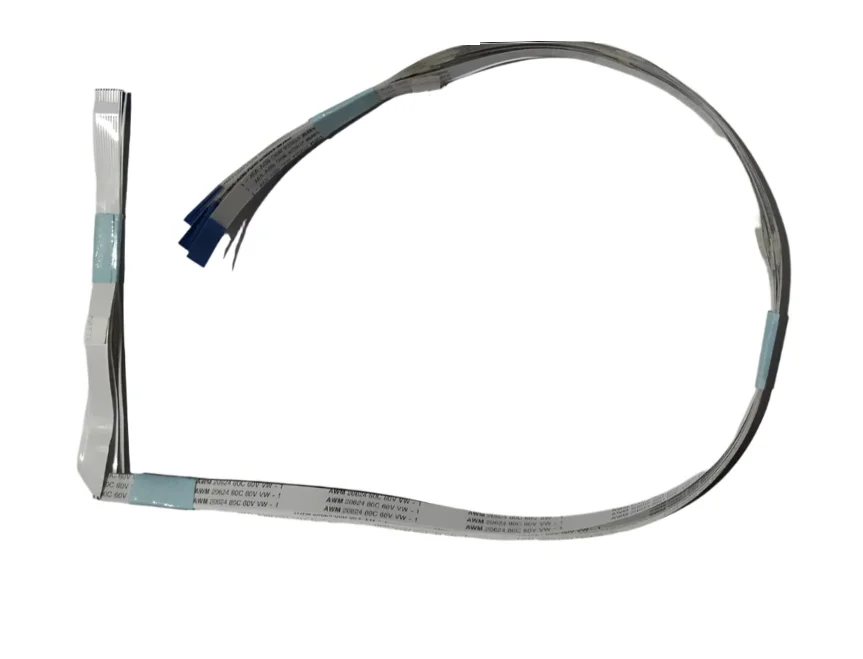
The Control Panel Cable (Display Panel Cable) is a premium-quality compatible replacement designed for HP Neverstop Laser MFP 1200A and 1200W printers. This 9-pin Flexible Flat Cable (FFC) connects the printer’s control panel (display & keypad) to the main logic board, allowing reliable transmission of display information and button commands.
A damaged, folded, loose, or torn control panel cable can interrupt communication between the control panel and the main PCB, resulting in display issues, unresponsive buttons, startup problems, or control panel errors. Replacing the faulty cable restores proper communication and normal printer operation without replacing the complete control panel assembly.
Manufactured with premium-quality flexible ribbon material and precision connectors, this cable offers excellent durability, stable signal transmission, and long service life. It is an ideal spare part for printer repair technicians, service centers, and maintenance professionals.
Features
✔ Premium Compatible Quality
✔ 9-Pin Flexible Flat Cable (FFC)
✔ 1mm Pitch
✔ Approx. 700mm Length
✔ Stable Signal Transmission
✔ Precision Connectors
✔ Durable Flexible Ribbon Cable
✔ Fully Tested Before Dispatch
✔ Direct Replacement
✔ Easy Installation
✔ Long Service Life
Compatible Printer Models
HP Neverstop Laser Series
HP Neverstop Laser MFP 1200A
HP Neverstop Laser MFP 1200W
Model References
HP 1200A
HP 1200W
Specifications
Specification
Details
Product Name
Control Panel Cable
Alternate Name
Display Panel Cable
Cable Type
Flexible Flat Cable (FFC)
Pin Count
9 Pin
Pitch
1mm
Cable Length
Approx. 700mm
Printer Type
Mono Laser Multifunction Printer
Installation
Direct Replacement
Condition
Brand New Compatible
Why Replace the Control Panel Cable?
The Control Panel Cable is responsible for transferring communication signals between the display panel, keypad, and main logic board. If the cable becomes damaged due to repeated opening of the printer, improper installation, excessive bending, or wear over time, the printer may experience communication failures that affect the control panel.
Replacing only the cable is often a much more economical solution than replacing the complete display panel assembly.
Common Problems Caused by a Faulty Control Panel Cable
Display Problems
Blank Display
No Display Backlight
Display Not Working
Missing Characters on Screen
Flickering Display
Dim Display
Button & Control Problems
Buttons Not Responding
Keypad Not Working
Menu Navigation Failure
Copy Button Not Working
Control Panel Freezes
Random Button Operation
Printer Problems
Printer Stuck During Startup
Initialization Error
Communication Error Between Panel & Main Board
Printer Not Ready
Unable to Access Settings
Scanner & Copy Functions Not Responding
Hardware Problems
Torn Ribbon Cable
Broken Cable Tracks
Loose Connector
Folded or Damaged Flex Cable
Intermittent Connection
Signal Transmission Failure
Functions
Connects Control Panel to Main Board
Transfers Display Signals
Transfers Keypad Commands
Enables Menu Navigation
Supports Copy & Scan Controls
Maintains Stable Communication
Applications
Printer Repair
Printer Maintenance
Service Center Use
Control Panel Repair
Electronic Spare Replacement
Office Printer Servicing
Package Includes
1 × 9-Pin Control Panel Cable
Important Note
Please verify your printer model, cable length, and 9-pin connector before placing your order.
Professional installation is recommended.
Electronic spare parts are generally non-returnable after installation unless found defective on arrival.